Showing posts with label virus. Show all posts

Tuesday, June 15, 2010

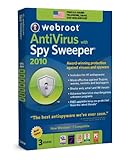
Webroot Antivirus with Spysweeper

Webroot Antivirus with Spysweeper Webroot Antivirus with Spysweeper defends your identity and computer from prying spyware. This anti-spyware software is equipped to beat off malicious, information-seeking applications to keep your data private and safe. This program is easy to use and is constantly updated to combat emerging threats.

Spy Sweeper not only constantly evolves to be able to combat newly developed spyware but it is also effectively sly. It has the ability to run undetected by most malicious programs, so spyware doesn’t even get the chance to try to work around Spy Sweeper before it is already quarantined and subdued.

Not only can this software defend in realtime with email scans and more, but it also offers a choice of three different system scans. For the hands-on type it can run custom sweeps that will skip selected folders or extensions. Or it can be set to conduct a full sweep periodically on its own. Or if you are an alert and impatient type it can be commanded at anytime to run a quick sweep that is able to find dangerous spyware or malware in less than a minute. There is a wide range of people that use spyware software, some want to manually initiate scans and study the latest emergent threat. Others just want to install the anti-spyware software and rarely or never think about it again. Spy Sweeper can satisfy both types.

Nowadays personal computers are often used as a communication device and a way to get the latest news and entertainment, which requires connecting to the Internet. And if your computer is accessing the Internet, you and it are at risk. So why not protect your computer, your personal information and your online habits with the best anti-spyware software available, Spy Sweeper.

Spy Sweeper can ban unwanted, nasty guests from your computer and can safeguard all of your private information and Internet activity. Don’t be one of the 9 out of 10 Internet users that has simply become use to dealing with spyware. Protect your privacy and your computers health with Spy Sweeper.

Download your copy of Webroot Antivirus with Spysweeper

Thursday, June 3, 2010

BitDefender Antivirus

Norman Security Suite BitDefender Antivirus: If you’re looking for absolute PC protection from viruses and more, you can’t go wrong with BitDefender Antivirus. Offering rock-solid security, simple usability, effective use of resources, and a valuable pricetag, BitDefender Antivirus 2010 is one of the best antivirus software solution we have tested.

The 2010 edition builds on the already great program and adds some additional features that continue to improve overall PC performance and protection.

As online threats continue to evolve and target different vulnerabilities, BitDefender has grown their arsenal and is utilizing the most up-to-date technologies to combat viruses and other malware. BitDefender Antivirus 2010 offers a robust set of features and utility, but is flexible enough to meet the needs of various users. Whether you’re an advanced user looking to control the whole process manually, or a novice looking for a set-and-forget solution, BitDefender delivers an easy to use security solution.

In short, BitDefender Antivirus 2010 provides protection and peace of mind, without upsetting your PC performance or paycheck.

Scope of Protection:
BitDefender Antivirus protects you and your PC from a number of online threats, including viruses, spyware, phishing scams, and more. The software basically covers you from every angle, protecting you from threats on the internet, email, and even instant messaging. BitDefender scans all web, IM, and email traffic for malware. The software is even equipped to encrypt your IM conversations.

BitDefender’s scanners run in real-time, but don’t require a lot of resources. The new optimized scans run 30% faster than last year (which were already fast), without significantly increasing system load and even reducing the boot time.

Effectiveness:

Don’t be fooled by the inexpensive price and lesser-known name; BitDefender Antivirus is powerful and completely effective. Independent industry research tests (ICSA labs, West Coast Labs, Virus Bulletin VB 100% certification, AV-Comparatives) agree that BitDefender is an effective solution, and one of the best overall performers. BitDefender has garnered several certifications and awards over the years, and Antivirus 2010 continues the legacy.

BitDefender Antivirus 2010 is certainly one of the best security software solutions available, combining powerful features and excellent protection in an easy to use program. The software is effective, simple, and impressively priced.

Overall, you can’t go wrong with BitDefender Antivirus 2010 when it comes to virus protection, versatility, and value. For superior performance, protection, and price, we recommend BitDefender Antivirus 2010.

Go download your copy now

Monday, May 31, 2010

SUPERAntiSpyware Free Edition

SUPERAntiSpyware SuperAntispyware has a free and a paid version, so it passes my first test of being a free application that works well. The paid version also has a realtime scanner and scheduler that compares to Spybot's TeaTimer, or Windows Defender.

One of the best reasons for using SuperAntispyware is the fact that it actually can help remove some of the nastiest malware that has been released including the variety of Zlob trojan infections, Vundo infections, and more. Before I started using this program, I had to resort to specialized removal tools and a lot of manual techniques to rid some computers of these pests. Now, I run SuperAntispyware and then check what's left to remove. In many cases, the program has done most of the work for me.

Its also easy to use. You'll notice the main menu of the program below. You can scan your hard drive, check for updates to the program, find out what's in quarantine, and check the dates of your last scan and update. With the paid version you can also schedule your scanning and have realtime protection against spyware infections.

SuperAntispyware has impressed me so much that its now one of the first tools I use to remove problems on a computer. It's one of the only tools that can remove some infections by itself, and the creators of the program seem to update it on a regular basis.

Go download and try it out for yourself

Tuesday, May 18, 2010

AVG Internet Security 9.0

AVG AVG Internet Security 9.0 introduces a few new features, with improvements focused on performance, including claims of faster scan and boot times. One new feature is the Identity Theft Recovery Unit. Only for users in the United States, ITRU is a business partnership with Identity Guard which provides "consumer identity theft solutions," accessible only from the AVG toolbar in Firefox and Internet Explorer.

The interface is nearly unchanged from the last version, and generally it's easy to use. A scheduling utility automates both scans and updates, while the upgrade ad at the screen's bottom can be easily hidden using the Hide Notification button. When starting a scan, a slider makes it easy to jump between Slow, Automatic, and Fast scans: the faster the scan, the less comprehensive it is, so users should take advantage of the scan optimization that is recommended during installation to speed up that first scan. Should a virus create serious problems, AVG creates a rescue disk to scan your computer in MS-DOS mode.

The LinkScanner feature protects you from third-party code exploits before they load in your browser and for ranking search results. The program doesn't obviously tax your system when scanning or when running in the background, although it's been determined that it will slow down your system's boot time, and slightly delay shutting down. AVG also detected some image files as threats, when two other scans decided they weren't--we decided these were false positives. AVG might not be the fastest or the most effective free security option, but it still gets the job done and you're better off with it.

Friday, May 14, 2010

Easy ways to Protect Your PC from Viruses

Use a high quality anti-virus program, there are many different anti-virus computers programs on the market some of them are better than others. Look to reputable computer magazines or websites for ratings to help you find the one that matches your needs.

Always use your anti-virus program and make sure it's turned on and scanning, incoming and outgoing email messages, and any software programs you run. Keep your antivirus programs up to date, most programs come with a yearly subscription, make sure you take advantage of the updates. More advanced programs allow you to schedule updates or full system scans for "off hours" like 2AM when you aren't likely to be using your computer. From time to time operating systems fall victim to security holes or issue updates. Make sure you check periodically to make sure you are running stable up to date versions of your software.

Most windows computer users keep their documents in the "My documents" folder, this makes it easy to back up all of your important documents. Make weekly or monthly copies to CD or USB drives. If you use floppy disks or USB drives on public computers like your school computer lab, or even digital photo printing store make sure you scan them for viruses. Public computers are notorious for not being up to date and properly protected.

Be wary of email attachments, treat any email attachment as potentially dangerous. Never open attachments from people you don't know, also be careful of attachments from people you know but weren't expecting. Many computer viruses replicate themselves by reading the contacts from an infected computer. Use text email if possible, while HTML email is prettier and allows you more control over formatting it also can carry computer viruses. If you use text based email the only way to get a virus is by opening an attachment.

Use downloaded freeware and shareware files or software with caution. Try to download them from popular reputable sources that scan the programs before they are uploaded. To make sure you are safe, scan the program before you install it on your computer.

Be wary of links in IM, yahoo, MSN or instant messaging software. Don't accept invitations from people you don't know and never click a link from someone you don't trust, they can easily redirect you to another website that will try to install a virus on your computer system.